 Qibla Line
Find the Qibla from the walls of your room.
Line a map up with a wall of your room, then turn until it says you're facing the Qibla.
Scan to open it on your phoneqiblaline.com
Place. Line up. Face.
Three steps, the same way every time, at home, in a hotel room or at a friend's house.
-
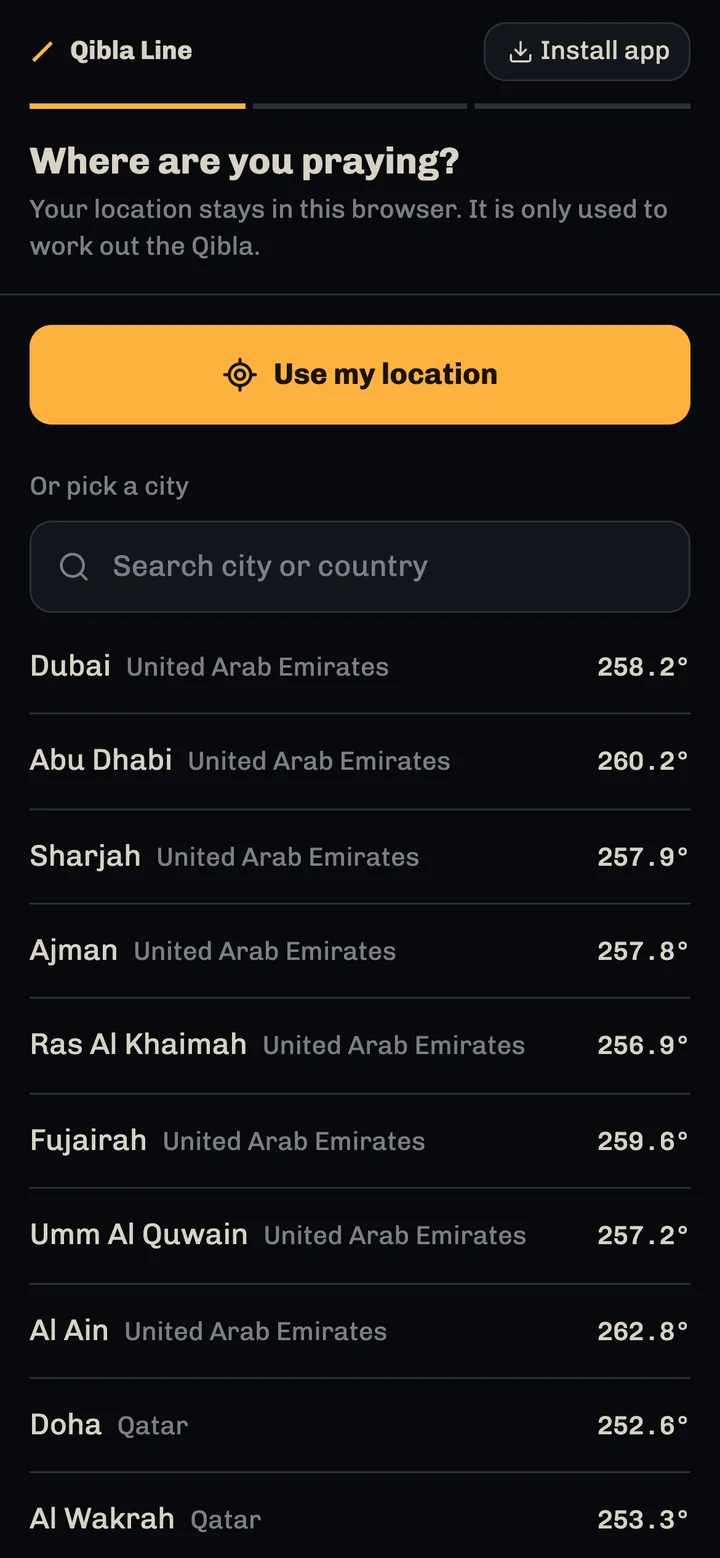
1Place
Use your location or pick from 187 cities. The map draws the line to the Kaaba from where you are.
-
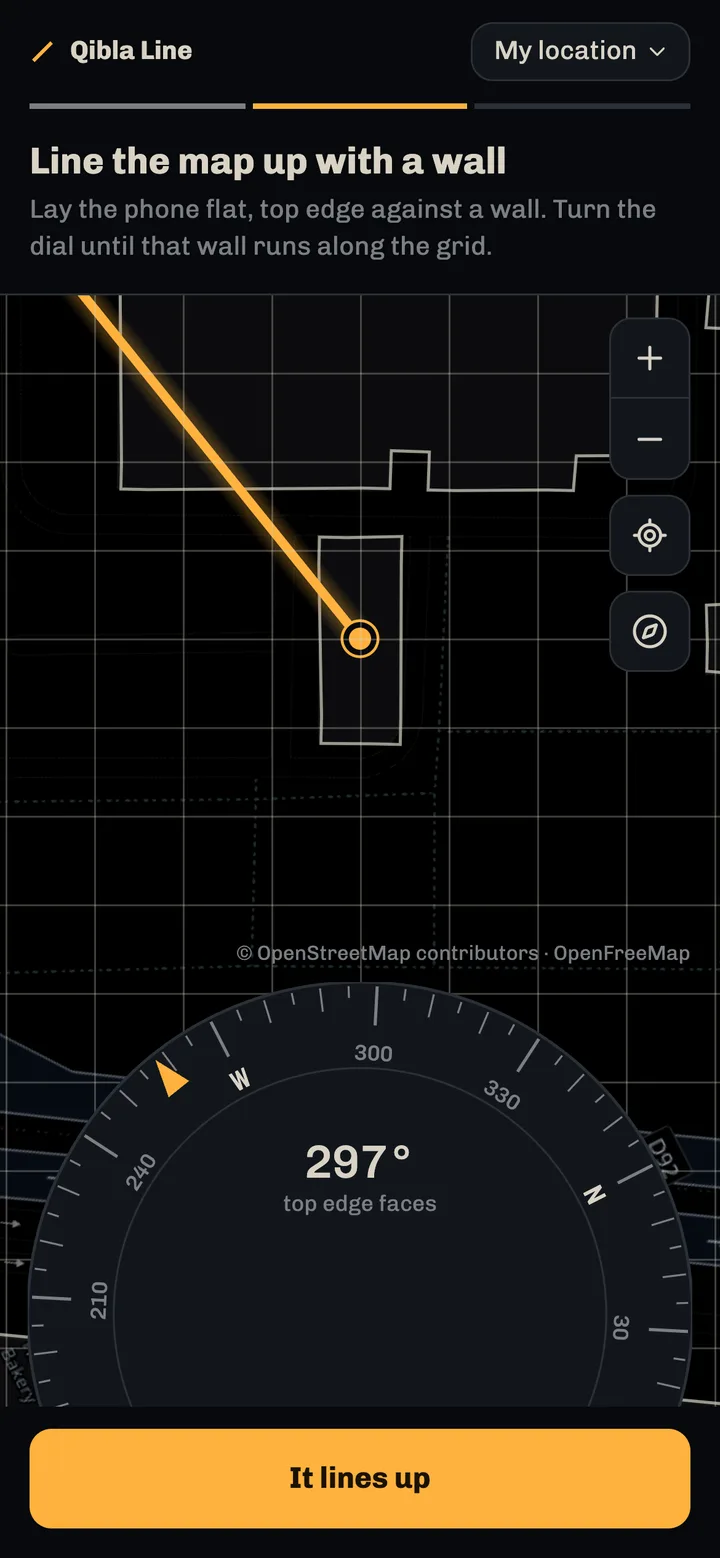
2Line up
Lay the phone flat, top edge against a wall. Turn the dial until that wall on the map runs along the grid.
-
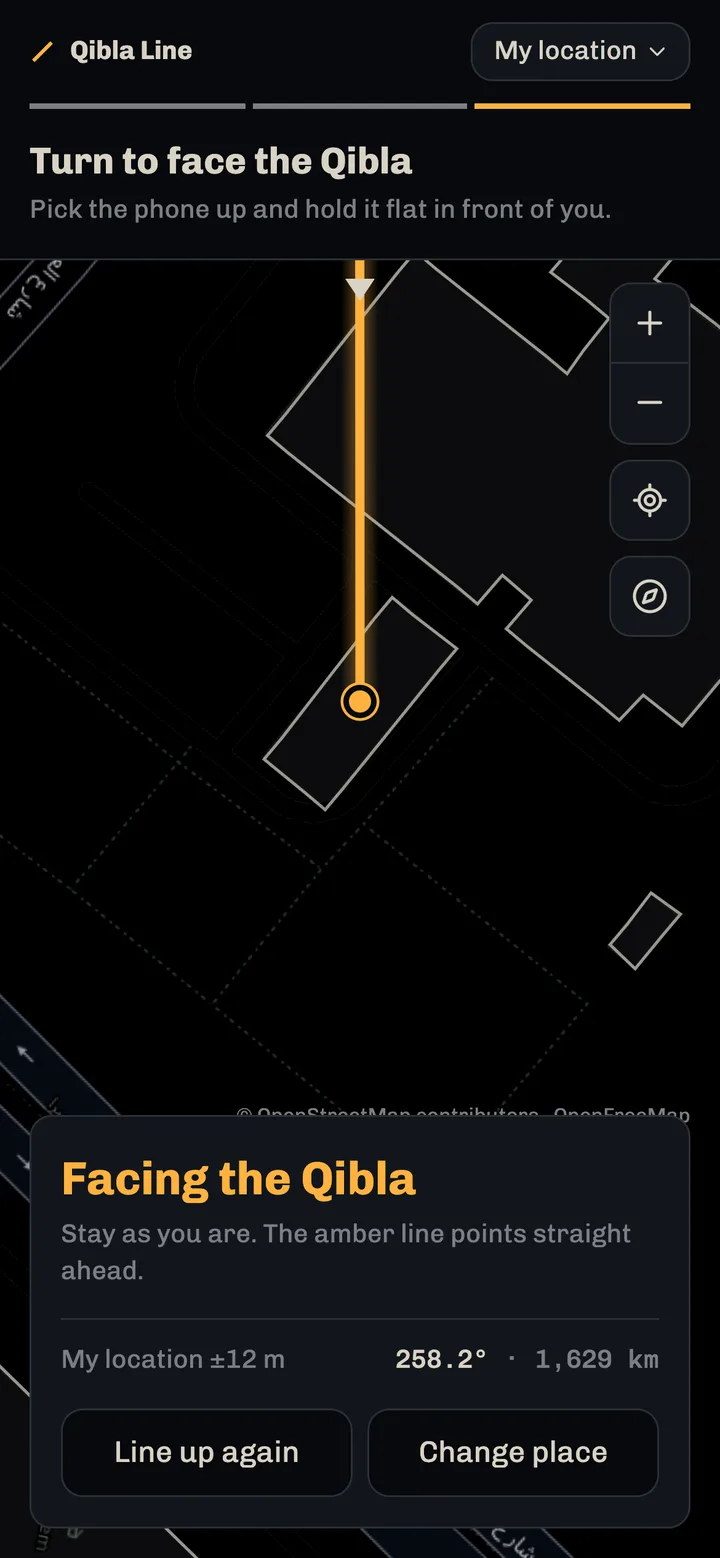
3Face
Pick it up, hold it flat and turn on the spot until it says Facing the Qibla.
Phone compasses drift indoors.
A compass reads the Earth's magnetic field, and inside a building that field is bent by steel, speakers and wiring. The needle can be off with nothing on screen to show it.
Walls stay put. Once the map matches one, the direction is geometry, and your turn is measured by the gyroscope, which magnets don't affect.
Questions
- How accurate is it?
- As accurate as OpenStreetMap's drawing of your building. In well-mapped areas that is usually within a degree or two. The app says you're facing the Qibla when you're within 2° of it.
- Where does the direction come from?
- It is the great-circle bearing from where you are to the Kaaba (21.4225° N, 39.8262° E), the shortest path over the globe, worked out on your phone.
- What if my phone won't share its motion?
- You get a fixed reading instead, such as "The Qibla is 34° left of the phone's top edge", with the amber line on the map showing the direction.
- Do I need to install anything?
- No. It runs in the browser on iPhone and Android. Add it to your Home Screen and it opens full screen, like any other app. There is no account to make.
- Is my location stored?
- No. Your location is used only on your phone to work out the line, and the app doesn't store it or send it anywhere. The only requests it makes are for map tiles, and there are no analytics.
Open it on your phone.Open it now.
Point your camera at the code. It runs in the browser on iPhone and Android and adds to your Home Screen. No app store, no account.
It runs in the browser on iPhone and Android and adds to your Home Screen. No app store, no account.
Open Qibla Lineqiblaline.comOr open it on this computer